The Benazir Income Support Programme (BISP) is a social safety net run by the Government of Pakistan. The number 8171 is the official SMS and web portal code that citizens use to check whether they are registered and eligible for support.
This guide explains, in simple steps, how the BISP 8171 registration check works, what your reply means, and what you should do after you receive it.
Before anything else, remember two things: BISP registration checks through official channels are free, and no agent, website, or message can register you or make you eligible. That decision comes from the household record and the official evaluation, not from anyone promising to fast-track your case.
What is the BISP 8171 service?
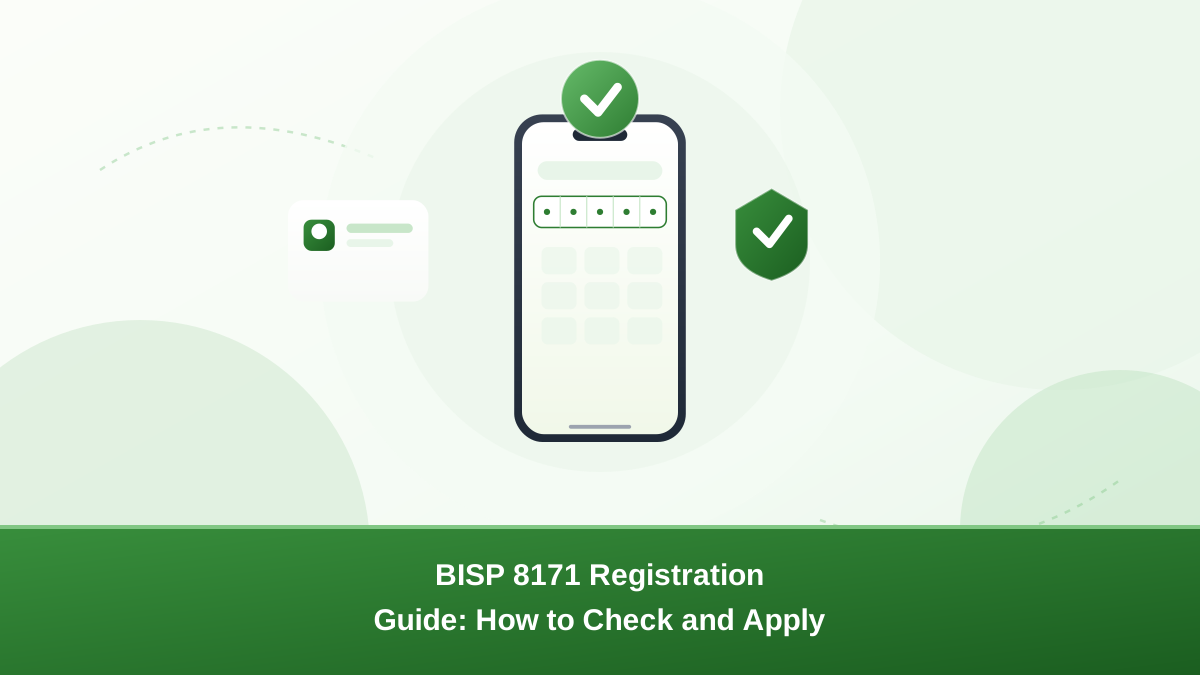
8171 is a short code and web portal provided by BISP. By sending your National Identity Card (CNIC) number to 8171, you can receive a reply about your registration status. The same check can be done on the official BISP web portal using your CNIC number.
How to check your registration by SMS
- Open the message app on your mobile phone.
- Type your 13-digit CNIC number without spaces or dashes.
- Send the message to 8171.
- Wait for the reply, which usually arrives within a few minutes.
- Read the reply carefully — it will tell you whether you are registered, not eligible, or need to complete the Dynamic Survey.
How to check on the web portal
- Open a browser on your phone or computer and visit the official BISP web portal (search for “BISP 8171 portal” and confirm you are on the official government address).
- Enter your 13-digit CNIC number in the check field.
- Complete the on-screen verification, then submit.
- Read the result on the screen and save a screenshot if useful.
What do the replies mean?
| Reply meaning | What to do |
|---|---|
| You are registered / eligible | Follow the official instructions about when and where to collect your payment. |
| Not eligible | Your household’s recorded situation did not meet the current criteria. You can ask about the appeal or re-survey process through official BISP offices. |
| Dynamic Survey required | Visit the nearest BISP office or the official survey centre to update your household information. |
| No record found | Your CNIC may not be in the survey records. Ask at a BISP office about registration and the survey process. |
Common mistakes to avoid
- Entering your CNIC with dashes or spaces — the system expects only digits.
- Using someone else’s CNIC — always use the head of household’s number.
- Trusting unofficial apps or websites that promise “guaranteed” registration — registration is free through official channels.
- Paying anyone who promises to fast-track your case.
What happens after registration?
Being registered does not automatically mean you are eligible. BISP evaluates household information using its poverty scorecard (Proxy Means Test). If your household qualifies and funds are available, you may be enrolled in the programme and told how and when payments are released. A complete BISP 8171 registration record, kept accurate through surveys, gives the fairest evaluation.
Who should use the BISP 8171 registration check?
Anyone in a surveyed household can use it. The check reads the registry and shows your current BISP 8171 registration status.
The 8171 check is for anyone in a household that has taken part in a BISP survey or registration drive. It answers one basic question: is this CNIC in the BISP registry, and what is the current status?
You might use it to check your own status, to see whether a family member is recorded, or before you visit an office so you arrive with a clear picture. See our guide to the 8171 family check for checking another relative with their permission.
The check does not change anything by itself. It only reads your household's record, so a reply can be safely treated as information — not as an action you need to take immediately unless the message says so.
What you need before you check
Before you run a BISP 8171 registration check, gather a few simple things.
- Your 13-digit CNIC number — exactly as printed on your card, no dashes, no spaces.
- The mobile number from which you send the SMS should be working and in your own name where possible.
- For the web portal: an internet connection and a little patience when the site is busy during payment phases.
Checking with the wrong digits is the most common reason for a confusing reply. Write the number down from your card rather than typing it from memory.
What happens next after a reply
Your 8171 reply is a starting point, not the final word. If you are registered and eligible, follow the official instructions about payment windows.
If you are registered but not yet paid, the payment may simply not have been announced for your district. If you see a "not eligible" reply, the appeal and re-survey routes exist — ask at a BISP office. To understand the score behind the decision, see how the BISP poverty score works.
Keep a note (or screenshot) of the reply and the date. If you need to follow up at an office or register a payment complaint, having that record makes the conversation much faster.
When to visit a BISP office
Some situations are better handled in person than by SMS:
- Your reply says "no record found" and you believe your household was surveyed.
- You need a re-survey or an appeal after a "not eligible" reply.
- Your CNIC details were recently corrected at NADRA and the record looks wrong.
- You cannot get a reply at all after trying more than once.
Take your original CNIC and any BISP messages with you. See our BISP office visit guide for what to expect.
Staying safe while checking
Because 8171 is widely known, scammers copy it. A few rules keep you safe:
- Only use the official SMS short code and the official web portal (the official government address for BISP is bisp.gov.pk — never a random link in a forwarded message).
- Never enter your CNIC on a site that asks for money, an OTP, or your bank details.
- Never share your CNIC number or photo with strangers who claim to "check" for you.
- Remember: registration checks are free. Anyone charging for a check is not official.
Common BISP 8171 registration problems
These are the questions people ask most often about their BISP 8171 registration check.
People often get confused replies for a handful of reasons:
- "No record found": the CNIC may not have been surveyed, or the digits were typed wrongly.
- "Not eligible": the household's recorded situation did not meet current criteria — not a lifelong decision, and appeal/re-survey may apply.
- "Only family size confirmation" or similar: some replies ask you to confirm household details; treat them as instructions to update your record, not as payment news.
- No reply at all: check your number is active, retry after a while, or use the web portal instead.
For more examples, read our guide to common 8171 errors.
How to apply if you are not registered
Being unregistered is different from being not eligible. Households normally enter the registry through an official registration drive or household survey, not by sending a form with a fee. If 8171 returns "no record", ask at a BISP office about the current registration and survey process for your district. Our in-person application guide explains the general steps.
Registration vs eligibility: a quick comparison
| Word | What it means |
|---|---|
| Registered | Your household is in the BISP/NSER registry with a survey record. |
| Eligible | Your household's evaluated score meets current criteria for support. |
| Enrolled | Your household has been selected to receive support and appears in payment planning. |
You can be registered but not eligible, or eligible but not yet enrolled for an upcoming cycle. The official reply and your local office will clarify your own case.
Conclusion
The BISP 8171 registration check is the fastest way to see your household's status. Use only the official SMS code and web portal, keep your CNIC digits exact, treat the reply as a starting point, and never pay anyone who offers to register or fast-track you. When in doubt, confirm at a BISP office or through the official helpline.
Conclusion
The 8171 check is the fastest way to learn your BISP status. Keep your CNIC handy, use only the official SMS code and portal, and always verify program details through official BISP announcements before taking any action.
Frequently asked questions
The reply comes from the official BISP service, but your mobile operator may charge its standard SMS rate. There is no fee for BISP registration itself — never pay anyone who asks for money to register you.
Check that your CNIC has 13 digits with no dashes, confirm you have network coverage, and try again after some time. If you still get no reply, visit the nearest BISP office or use the official helpline.
The service is linked to the CNIC number you enter, so you can send any CNIC number you are authorised to check. Only use your own or a family member’s CNIC.