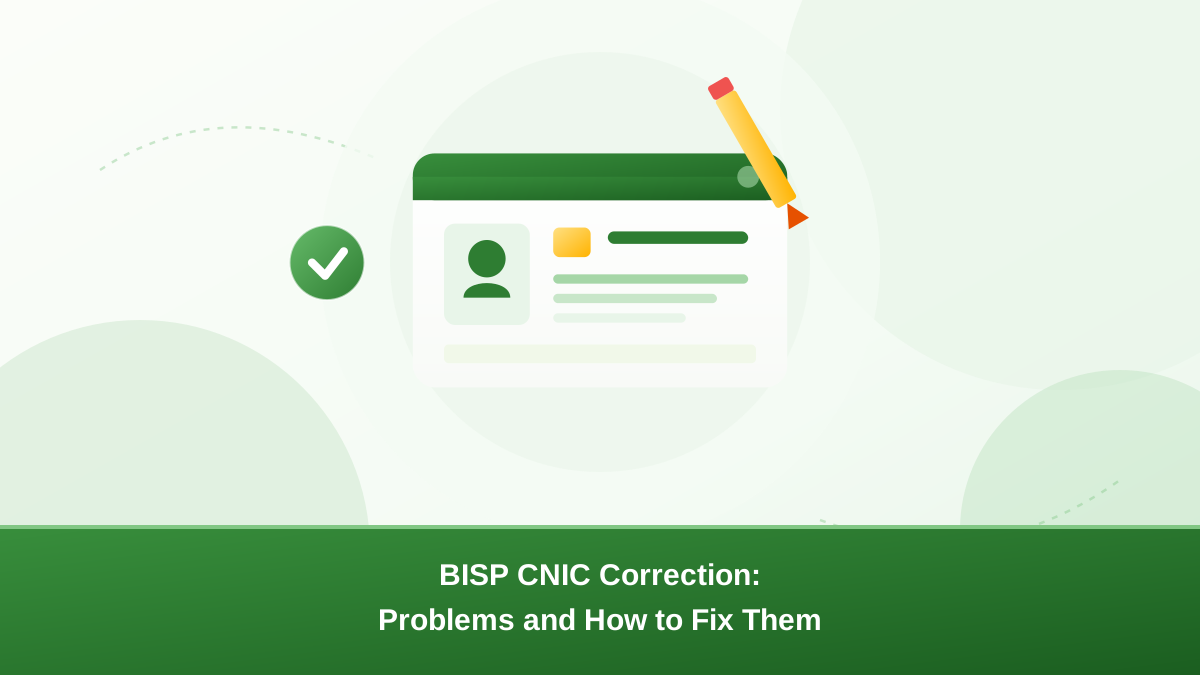
If your number, name, or card details do not match your actual CNIC, the BISP CNIC correction process is how you set the record straight. Your CNIC is the key to your BISP record. Even a small error can block status checks, surveys, and payments.
This guide explains the kinds of errors families face, how they cause problems, what documents to prepare, how the office process works, and how to follow up safely.
Why your CNIC is the key to your BISP record
BISP stores your household details against your Computerised National Identity Card number. When the office verifies you, pays you, or updates your file, it reads that number first.
That is why an accurate CNIC matters so much:
- Status checks on 8171 look up your file by CNIC. A wrong digit returns "no record" even when you are enrolled.
- Payments are linked to the identity on file. A mismatch can stop cash release at the collection point.
- Biometric verification compares your thumbprint with the CNIC record. Wrong details can block verification.
- Surveys and re-verification rely on your CNIC to confirm who you are when a survey team visits.
In short, a clean CNIC record keeps everything else running. You can see how this connects to the wider BISP information update process.
The kinds of CNIC errors families face
Most errors are small, but small errors cause big delays. The common ones are:
- A wrong digit in the number. One typing mistake in your CNIC on the BISP record — an extra number, a missing digit, or a swapped pair — can make the whole record unreachable.
- A name that does not match the CNIC. The spelling on the BISP file may differ from the spelling on your card, such as "Muhammad" and "Mohammad".
- A renewed or lost CNIC. If you got a new CNIC after renewal or a lost card, the old number may still be on the BISP file.
- A NADRA mismatch. Your card details must match what NADRA holds. If NADRA corrected your name or date of birth, BISP needs to see the corrected version.
Each of these has the same fix: confirm the correct details, then ask for a BISP CNIC correction at an office. Do this at the district or tehsil office that holds your file.
How a wrong CNIC blocks checks, payments, and biometrics
When you send your CNIC to 8171 and get no reply or a "not found" message, a record mismatch is often the cause. Doing a BISP CNIC correction fixes the root of these problems. The same issue shows up in other places:
- Payment delays. The bank or cash agent verifies the CNIC against the file before releasing money. A mismatch means the payment is held.
- Failed biometrics. The thumbprint is checked against the CNIC record. If the record is wrong or old, verification fails and you cannot collect cash.
- Missed survey messages. BISP may not send survey SMS or may fail to match your household when a survey begins.
- Slow complaints. Helpline and office staff search by CNIC. Conflicting details make every follow-up slower.
Because these problems feed off one record, fixing the CNIC usually fixes several symptoms at once.
First check: is the error in NADRA or BISP?
Before you ask for a BISP CNIC correction, confirm your CNIC details with NADRA. BISP compares its file with the NADRA record. If NADRA still holds old or wrong details, a BISP correction will not stick.
Look at your physical card first. Check the number, the spelling of your name, and the date of birth printed on it. If the card itself is wrong, or you hold an old card, visit a NADRA centre to get the correct CNIC before going to BISP. Read the next section for what to do in that situation.
Documents to prepare before you visit
Preparing for a BISP CNIC correction visit saves a return trip. Carry the following:
- Your original CNIC with the correct details.
- Photocopies of the CNIC, front and back — many offices ask for copies even if they do the data entry.
- Any BISP letters or SMS printouts that show the error or your beneficiary details.
- The NADRA receipt if your card is still being printed or was recently renewed.
- Supporting documents if your name changed, such as a marriage certificate, where relevant.
If the CNIC itself has not arrived yet, the NADRA application receipt can show the details being processed.
How the BISP CNIC correction process works step by step
BISP does not usually accept corrections online. The official route is an in-person visit. Here is the general flow:
- Find your nearest BISP office (District Office or Tehsil Office). Confirm the visiting hours and whether you need an appointment — procedures vary by phase and district.
- Visit with your original CNIC and the documents listed above. Arrive early; queues can be long.
- Explain the error clearly and show the correct details. Give both the old and the new information where you can.
- The staff will check your details, often against NADRA, and may verify your biometrics to confirm identity.
- Ask for a receipt or reference number for your correction request, and note the date.
- Follow up after a few days using 8171, and return to the office with your receipt if nothing changes.
What to do if NADRA details are wrong first
If your name, date of birth, or family details in the NADRA system are wrong, BISP cannot correct them. Those details belong to NADRA's record, and BISP only reads from it.
In that case, follow this path:
- Visit a NADRA centre with your documents to request the correction to your record.
- Keep the application receipt NADRA gives you.
- Collect your corrected CNIC once it is ready.
- Then visit the BISP office with the corrected CNIC and receipt so BISP updates its file to match.
Trying to fix BISP first is wasted effort if NADRA is the source of the mismatch. Do NADRA first, then BISP.
Following up with 8171 after the correction
After the office processes your BISP CNIC correction request, test the record yourself. A few days later:
- Send your CNIC (without dashes) to 8171 from your registered number.
- Confirm the reply shows your correct details and a valid status, not a "not found" message.
- If you corrected for a payment issue, check your payment status and verify your biometrics at the cash point.
- If nothing changed after a week or two, return to the same office with your receipt and ask for the status of your reference number.
You can also try the other ways to check your BISP status online if SMS does not respond.
Common problems and how to handle them
- 8171 still shows no record. The correction may not be complete. Follow up with your reference number at the office.
- The office says the CNIC does not match NADRA. Go to NADRA first, get the corrected card, then return to BISP.
- You are asked to wait for a survey. Some corrections are processed during a Dynamic Survey. Ask the office when and where the survey will happen, and do not skip it.
- Your thumbprint fails during verification. This is common with worn fingerprints. The office may retry or use an alternate process. Do not pay anyone to "fix" biometrics.
- The card is not ready yet. Show the NADRA receipt and explain the card is being printed.
Avoid unofficial agents who promise CNIC fixes
Record corrections are free through BISP and NADRA official channels. Anyone who asks for money to "update" or "fix" your CNIC record is not working officially.
- Do not hand your original CNIC to an agent or middleman.
- Do not share your CNIC number or OTP with strangers who promise faster results.
- Do not pay for corrections, updates, or surveys — all are free.
- Report suspicious offers to the nearest BISP office or use the official complaint channels. See how to report BISP scams and fraud.
Conclusion
The BISP CNIC correction process keeps your record accurate so checks, surveys, and payments work as they should. Confirm your details with NADRA first and bring your original CNIC to a BISP office.
Note your reference number and follow up with 8171. Keep your documents safe and never trust an agent who charges for something official channels do for free.
Frequently asked questions
Usually not. BISP does not accept CNIC corrections through the web portal or SMS alone. You need to visit a BISP district or tehsil office with your original CNIC and supporting documents so staff can verify your identity and update the record.
A \u201cnot found\u201d reply can mean your record has a wrong digit, a name mismatch, or the file is linked to a different number. Visit a BISP office with your CNIC so they can check the file and correct the record if needed.
BISP reads from the NADRA record, so NADRA must be corrected first. Visit a NADRA centre, keep the application receipt, and return to BISP only after your corrected CNIC is ready.
There is no fixed time. Some corrections reflect within days, while others need a survey or take weeks. Follow up with 8171 after a few days, and return to the office with your reference number if nothing changes.
No. Corrections are free through official BISP and NADRA channels. Anyone who asks for money to fix your record or your biometrics is not working officially, and such offers should be reported.
Take your original CNIC, photocopies of the front and back, any BISP letters or SMS printouts showing the error, and the NADRA receipt if your card is being printed or was recently renewed.