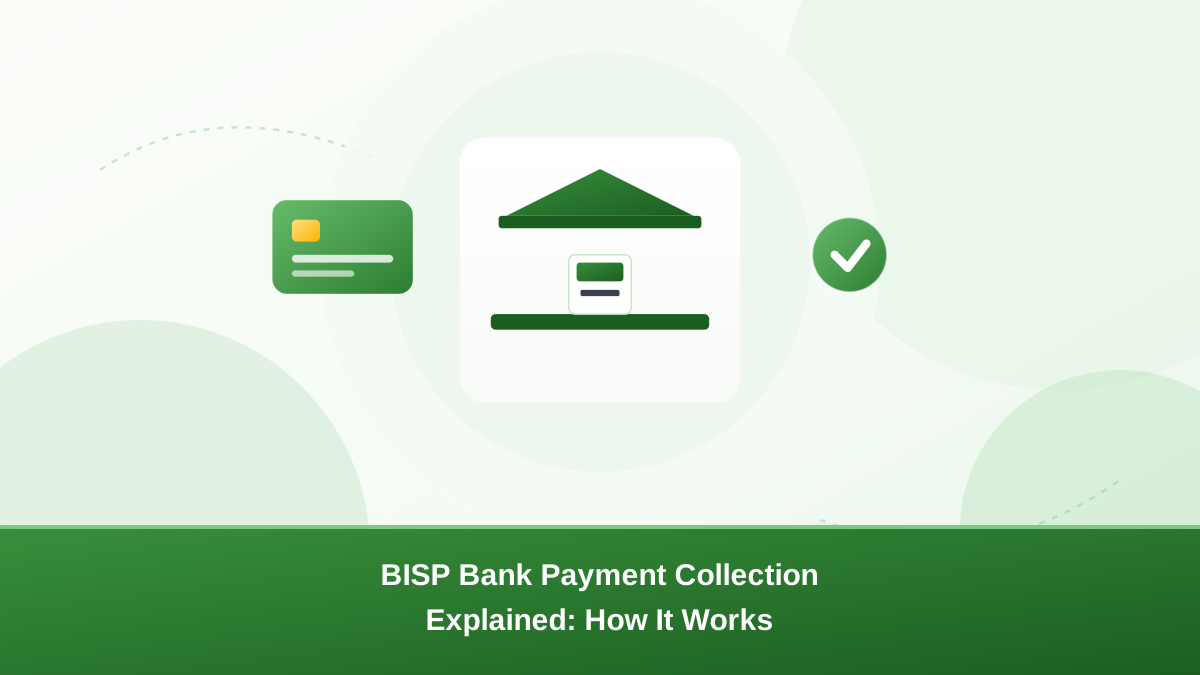
Depending on your district and the current programme setup, your BISP bank payment may be released into a bank account instead of a campsite. This guide explains how bank-based collection works, what you need to collect it, and what to do when something goes wrong.
How the BISP bank payment method works
When BISP uses bank-based payments, the instalment is transferred to a bank account registered in the beneficiary's name. You then withdraw it like any normal bank balance. Depending on your account type, you can collect at an ATM, at a bank branch, or through the bank's services such as mobile or internet banking.
Once the money is deposited, it is your balance and stays in the account until you withdraw it. This differs from campsite collection, where you must visit a payment centre during the payment window. A bank deposit also leaves a clear record of the transfer, which helps you prove an instalment was released if you ever need to.
What you need to collect a BISP bank payment
Before the payment can reach you, the basics must be right:
- A bank account in your own name, matching your CNIC exactly. A joint account may cause problems unless your name is first on the record.
- Account details correctly recorded with BISP — the account number, IBAN, bank name and branch shown to BISP must match your real account. A mismatch can stop the payment.
- An active account — dormant or closed accounts can cause delays or rejected transfers.
- Your original CNIC, for verification at the branch if you collect in person.
- Biometric verification — your thumbprint is checked at the cash point, so be ready for that step.
How to register or link your bank account with BISP
BISP chooses the payment method based on your district and the current cycle. You cannot always select it yourself. If your case uses bank-based payment, your account details should already be on your record.
If your account number, bank or branch changed, update it through an official BISP office:
- Find your nearest BISP office and confirm its visiting hours and required documents.
- Visit with your original CNIC and your new bank details — account number, IBAN, bank name and branch.
- Share both the old and new details so staff can update the record correctly.
- Biometric verification may be done to confirm your identity.
- Ask for a receipt or reference number, then follow up after a few days to confirm the change went through.
Account updates through official BISP channels are free. Do not pay an agent or middleman to change your details — unofficial changes are a common source of lost or diverted payments.
Visiting a bank branch to withdraw your payment
When your instalment is in the account, you can withdraw it in person. Bring your original CNIC and follow the bank's procedure for your account type — a counter withdrawal, or a dedicated desk for the payment method BISP uses in your district.
You will normally verify your identity and biometrics at the cash point. The bank records the transaction, so keep your withdrawal slip. It is useful proof if a payment is later questioned.
Withdrawing at an ATM or through mobile banking
If your account comes with a debit card, your BISP bank payment appears like any other bank balance. You can withdraw it at an ATM with your card and PIN, or check it through the mobile banking balance and statement screens.
ATM collection is convenient but has practical limits. Daily withdrawal limits, ATM cash availability and bank maintenance windows can all affect how much you can take out at once. For larger amounts or any issue, a branch visit is usually more reliable.
Keep your ATM receipt after every withdrawal. It shows your account, the amount and the date, and it settles disputes quickly.
The payment window and SMS messages
Payments are released in phases, district by district. Your BISP bank payment may not appear in your account on the same day as your neighbour's, even in the same area. Knowing your phase helps you avoid a wasted trip to the bank.
BISP usually sends an SMS to the mobile number on your record once your payment is released. If no message arrives, do not assume the worst — check your 8171 status first.
After deposit, the money normally stays in your account, so you do not have to withdraw it the same day. Confirm your payment window details through official channels instead of shared messages.
Step by step at the bank
- Check your status on 8171 to confirm the payment phase for your district.
- Confirm the money is in your account by checking your balance or statement first.
- Visit your branch during opening hours, or use your ATM card if you have one.
- Carry your original CNIC and any account documents the bank may ask for.
- Verify your identity and biometrics as the cash point requires.
- Collect your cash, then count it before you leave the premises.
- Keep your withdrawal slip or receipt for your records.
Common problems and what to do
- Name or CNIC mismatch: the name on your bank account does not match your CNIC, or the BISP record has an old spelling. Visit a BISP office to correct your record, and update your bank account so the two match.
- Account mismatch: the account number or IBAN on the BISP record is not yours, or belongs to an old account. Update your account details through a BISP office, never through an agent.
- Payment not visible: payments are released in phases. Check again after your district's phase completes, and see whether the transfer is pending on your bank statement.
- Biometric failure: worn fingerprints cause most failures. The bank may retry or offer an alternate verification step. Never pay anyone who promises to "fix" biometrics.
- Branch busy: payment days draw crowds. Try off-peak hours or use an ATM, and ask staff about the quietest times.
- Dormant account: visit your bank with your CNIC to reactivate the account, then confirm your BISP record is unchanged.
Resolving issues through BISP or your bank
Start with the source of the problem. If the money reached your account, the matter is with the bank. If your BISP bank payment never arrived, the matter is usually with BISP.
For bank-side issues, ask the branch about the transaction status and any pending verification on their side. For BISP-side issues, lodge a complaint through a BISP office or the official channels below. See our guide to registering a BISP complaint for the full steps.
Keep every document — receipts, SMS messages, reference numbers and office slips. They make each follow-up faster and help if you need to escalate.
How to check whether your BISP payment arrived
- Check your 8171 status — it shows your payment phase.
- Check your bank statement or mobile banking for the deposit.
- Ask your bank, or visit a BISP office if the payment is missing after your phase. See our payment status check guide for more detail.
Protect yourself from scams
- Do not pay anyone to activate, change or "release" your BISP bank payment — collection is free.
- Never share your CNIC, PIN, OTP or account password with callers or agents.
- Ignore messages that ask for money or personal details to receive a payment.
- If someone promises to withdraw your payment for a fee, report it. See our guide on reporting BISP scams.
Official channels for help
- 8171 SMS — send your CNIC from your registered number to check status and payment phase.
- BISP helpline — call the official helpline for guidance; read our BISP helpline guide before calling.
- BISP offices — district and tehsil offices handle payment method queries, corrections and complaints in person.
- Official website — confirm programme details on the government's official BISP website.
Conclusion
The BISP bank payment method deposits your instalment into your own account. Keep your details matching, check your statement after your phase, and use official channels for any mismatch or delay. When in doubt, verify the current arrangement through official BISP channels before acting on shared news.
Frequently asked questions
Confirm your assigned payment method through official channels — 8171 status, a BISP office, or official announcements.
Visit a BISP office to correct your record and update your bank account details so they match your CNIC.
Payment method changes are decided through official BISP procedures — ask at a BISP office rather than relying on agents.
Worn fingerprints cause most failures. Ask the bank to retry or use an alternate verification step. Never pay anyone who promises to fix biometrics.
Payments are released in phases by district. Check your 8171 status, confirm your account details with a BISP office, and check again after your district phase completes.
No. Collection is free through official channels. Anyone asking for a fee to withdraw or release your payment is not an official agent.